

Appearance
Chat with your documents
Last updated 23 Nov 2026
- Who can do this: Anyone in the workspace
- Feature needed: AI chat
- Where: AI Chat
AI Chat answers questions about the files you add to a chat.
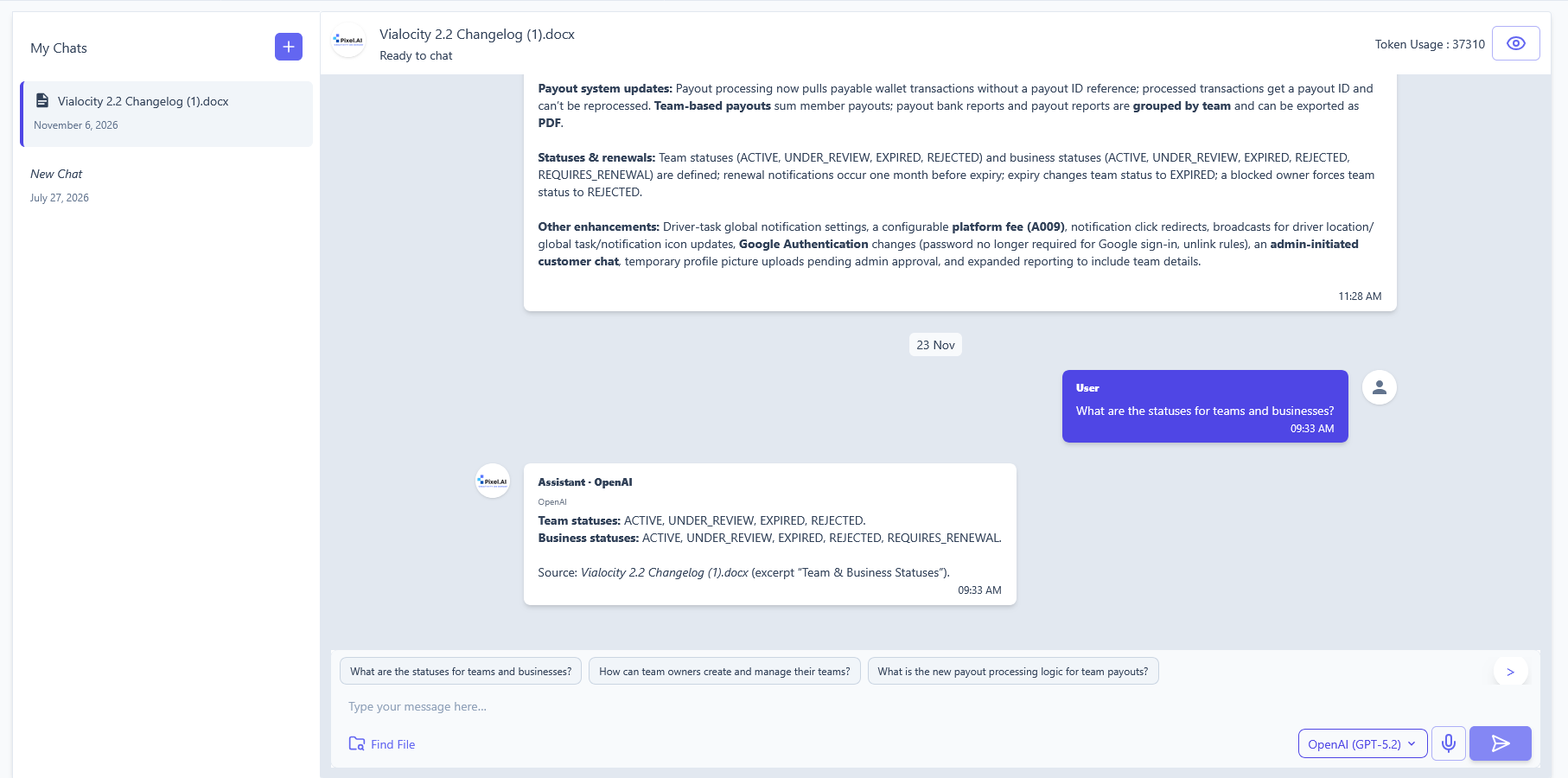
Start a chat
- Click + next to My Chats.
- Add one or more files:
- Find File: pick indexed files from HelloDocz.
- Upload File, or drag a file in: upload from your computer. The file is also saved to HelloDocz, in a Chat Assistant folder.
- Wait while Preparing your documents is shown.
- Type your question and press Enter, or click one of the suggested questions.
You can add more files to the chat at any time. Answers then use all of them.
Choose a model
The model is the AI that writes the answers. If you see a model button next to the send button, e.g. OpenAI, click it to switch:
| Model | Good to know |
|---|---|
| OpenAI | The default. A fast, general-purpose model |
| Qwen | Runs on PixelAI's own AI servers. The first answer after a quiet period can take longer while it starts up |
Both answer only from your files, and both use your organization's AI tokens. You can switch model between questions in the same chat. If you don't see the button, PixelAI picks the model for you.
What you can ask
| You want to | Example |
|---|---|
| Find a fact | "What's the payment term in this contract?" |
| Summarize | "Summarize this report in five points" |
| Compare documents | "How do the prices in these two quotes differ?" |
| Check something | "Does this invoice include GST?" |
| Count, total or filter a spreadsheet | "What's the total of the Amount column for March?" |
| Follow up | "And for April?" The chat remembers what you asked before |
Answers say which file and page they came from, so you can check them.
What it can't do
- It only knows the files in the chat. It doesn't search the rest of HelloDocz, the internet or general knowledge.
- It reads the parts of a document that match your question, not every page at once. Questions about one topic work best. A full list from a long document, e.g. "list every line item in this 80-page PDF", may miss some. For that, use Extract data.
- Totals and counts are exact only for spreadsheets (
.xlsx,.csv). In PDFs and Word files, it can only add up what it finds, so check the figures. - Up to 100 files per chat, all from the workspace you're in. You add files one by one: you can't add a whole folder.
Chat from HelloDocz
- In HelloDocz, open the Assistant panel (bottom right).
- Hover over indexed files and click Add to Chat Selection.
- Ask your question in the panel.
To carry on in the full chat, open the panel's menu and choose Go to Assistant.
Good to know
- Your chats are private. Others in the workspace can't see them. Deleting a chat (red ×) can't be undone, but its files stay in HelloDocz.
- Each answer uses AI tokens from your organization's allowance. Longer documents and answers use more. See Billing and usage.
- A scanned file comes out empty without OCR. If answers miss what's in a scan, see OCR indexing.
- AI can make mistakes. Check important figures in the document itself.