

Appearance
Folder settings
Last updated 23 Nov 2026
- Who can do this: Anyone who can see the folder. Changing its colour or default document type needs edit access
- Where: A folder's menu → Folder settings
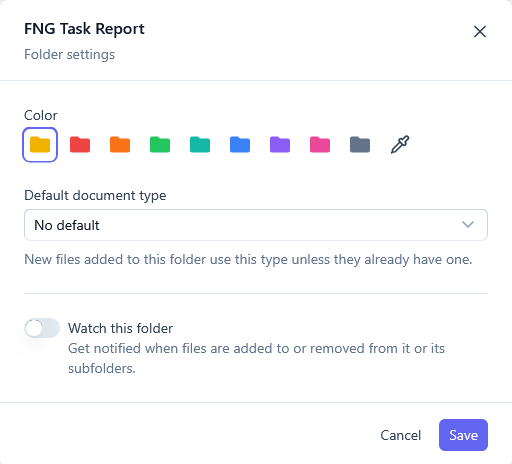
Each folder has a few settings of its own: a colour so it stands out, a default document type for files added to it, and whether you're notified about changes.
Colour
Pick one of the colours, or click the last swatch to choose any colour. Everyone in the workspace sees the new colour.
Default document type
Choose a document type, e.g. Invoice for an Invoices folder. New files added to the folder get this type, unless they already have one. Files already in the folder keep their type.
Watch a folder
Turn on Watch this folder to get a notification whenever files are added to or removed from it, or from any folder inside it. Notifications appear under the bell icon on the top bar.
This setting is just for you: others in the workspace choose for themselves. The folders you watch are listed under Watching in the HelloDocz sidebar.