

Appearance
Create your account
Last updated 23 Nov 2026
- Who can do this: Anyone
- Where: The sign-in page → Register
Signing up gives you your own organization with a free trial, so you can start uploading straight away.
Steps
- On the sign-in page, click Register.
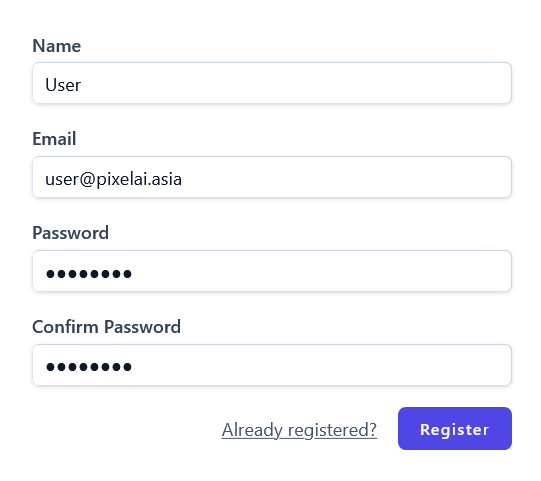
- Enter your Name, Email, Password and Confirm Password, then click Register.
- Open the verification email we send you and click the link.
What you get
- An organization named after you, e.g. Alex's Organization. You're its Owner. You can rename it in Organization settings.
- A workspace called Personal, where your files go. You can rename it or create more.
- A free trial. The Dashboard shows when it ends.
What the free trial includes
The trial lets you try everything in PixelAI with no card needed. It's once per organization.
- HelloDocz and AI Chat, with every feature turned on.
- One seat: yours. You can still invite guests, who don't need a seat.
- These allowances, shared by everyone in your organization for the whole trial:
| Allowance | Trial amount |
|---|---|
| Cloud Storage | 10 GB |
| AI Tokens | 1,000,000 |
| Hellodocz Transaction Data Extraction | 10 pages |
| OCR Pages | 1,000 pages |
| Email Sent | 100 emails |
The Dashboard shows how much of each you've used. See what uses each allowance. Choose a plan under Billing for bigger allowances.
When the trial ends
Choose a plan under Billing before the trial ends. Otherwise:
- The organization is blocked. Nobody in it can open HelloDocz or AI Chat, but the owner can still open Billing and choose a plan.
- After a few days, its files, chats and activity are deleted for good. The Dashboard and Billing page will show the date before it happens.
Your account, organization and workspaces stay, so you can still choose a plan later and start again.
Choosing a plan after the deletion date doesn't bring files back. If you want to keep what you uploaded during the trial, choose a plan before that date.
Invitation from other user
If someone invites you to their organization, you get an email with a link.
- No account yet: the link opens the registration form with your email filled in. Register, and you join their organization. You still get your own organization and trial as well.
- Already have an account: opening the link accepts the invitation. Sign in, then switch to their workspace.
You don't need to verify your email when you register from an invitation link.